Antmicro’s Renode simulation framework supports a broad range of architectures and platforms, including the popular NXP i.MX RT500 and i.MX RT700 MCUs. While the i.MX RT series targets applications requiring real-time processing with low power consumption, the high-performance NXP i.MX family supports applications with advanced video and audio processing running on Linux. A notable member of this family is the heterogeneous i.MX 8M Plus SoC featuring four Arm Cortex-A53 cores and one M7 core, with a Machine Learning accelerator, 2D and 3D graphics, video support, audio processing, and more. It also offers many connectivity options, including Ethernet, USB, CAN, and PCIe.
In a recent customer project, we added support for the NXP i.MX 8M Plus SoC and relevant peripherals in Renode. In this note we describe the scope of the support and show how to run a Linux demo on an NXP i.MX 8M Plus platform simulated in Renode.
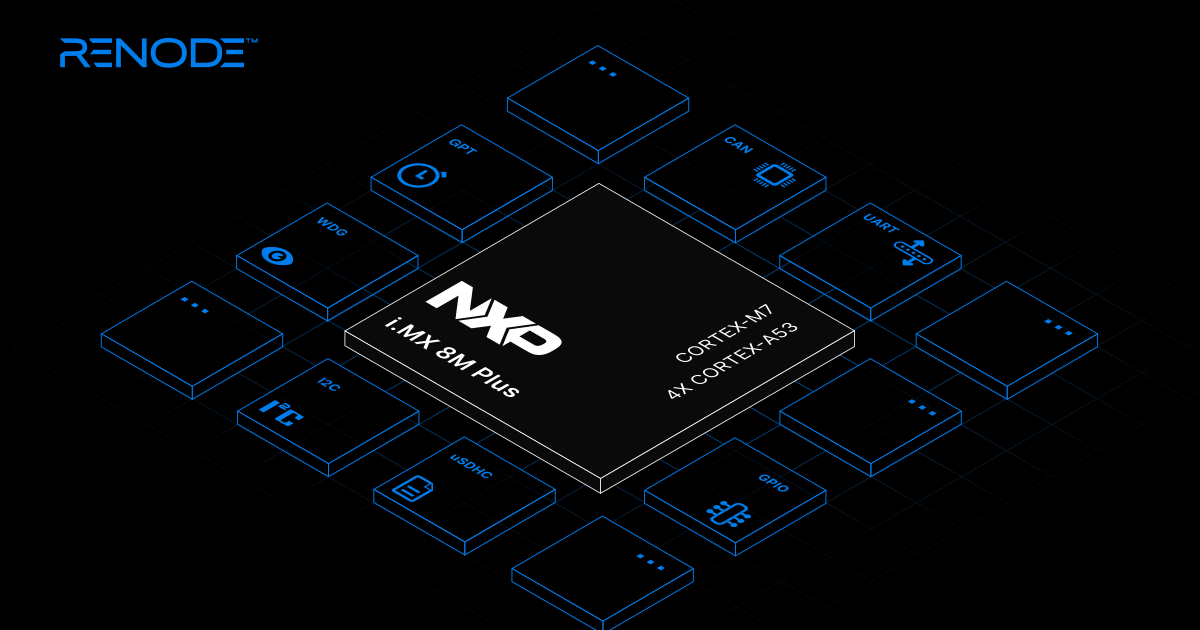
NXP i.MX 8M Plus support in Renode
Renode now includes an i.MX 8M Plus SoC platform description and an FRDM i.MX 8M Plus board platform description. To enable i.MX 8M Plus support, we introduced new and improved existing peripherals in Renode, including:
- Cortex-A53 with improvements to Arm GIC and aarch64 MMU
- Cortex-A53 Internal Timer
- NXP IMX GPIO model
- NXP Watchdog model
- NXP IMX8MP System Reset Controller
- NXP uSDHC model
- NXP IMX GPT
- NXP UART
- NXP FlexCAN
While the Renode model doesn’t cover all the features of the NXP i.MX 8M Plus platform, it is sufficient to run the U-Boot bootloader with MMC support, and to boot Linux with certain limitations.
With NXP i.MX 8M Plus supported in Renode, you can now create digital twins of your platforms built around this SoC for pre- and post-hardware development, optimization, collaboration, and more. As Renode offers many additional features, such as CAN support and a custom Renode Sensor Data format, it’s a perfect choice for developing and testing i.MX 8M Plus-based devices in various scenarios.
Linux demo
To test the i.MX 8M Plus in Renode, we prepared a FRDM i.MX 8M Plus Linux Renode script and a complementary Robot test. This script first creates a machine called frdm_imx8mp, then loads the FRDM i.MX 8M Plus platform description, and opens a uart2 analyzer window. In the reset macro, it loads the TF-A, U-Boot ELF and DTB files, and configures the Cortex-A53 cluster. Because the i.MX 8M Plus relies on PSCI for SMP core management, the simulation starts from the Arm Trusted Firmware rather than directly from U-Boot. TF-A configures the necessary peripherals, such as the GIC, and implements the PSCI runtime services that U-Boot and Linux later use to bring up the secondary cores, before passing control to U-Boot and, ultimately, Linux.
To run this example on your machine, get the most recent Renode package for your system, then start the script:
(monitor) start @scripts/single-node/nxp-imx8mplus_linux.rescWe also have a Renode script running the Zephyr RTOS on a Cortex-A53 core.
Get started with NXP i.MX 8M Plus and Renode
Renode support for the NXP i.MX 8M Plus enables you to take advantage of the many features offered by the SoC to develop, test and debug your system, even without the physical hardware on hand. Beside the i.MX family, Renode supports many other NXP platforms, including the automotive-grade S32K MCU, which you can simulate even in complex, multi-node configurations.
If you would like to integrate Renode into your development workflow or extend it with a specific platform, don’t hesitate to contact us at contact@antmicro.com.