Antmicro’s open source Renode simulation framework allows for expediting the process of developing an embedded device via simulating the physical hardware. It lets the user run, debug, and test their simulated embedded systems on their host, without needing the physical components present. The key to any good simulation, ultimately, is its accuracy - i.e., how well it mirrors real hardware behavior.
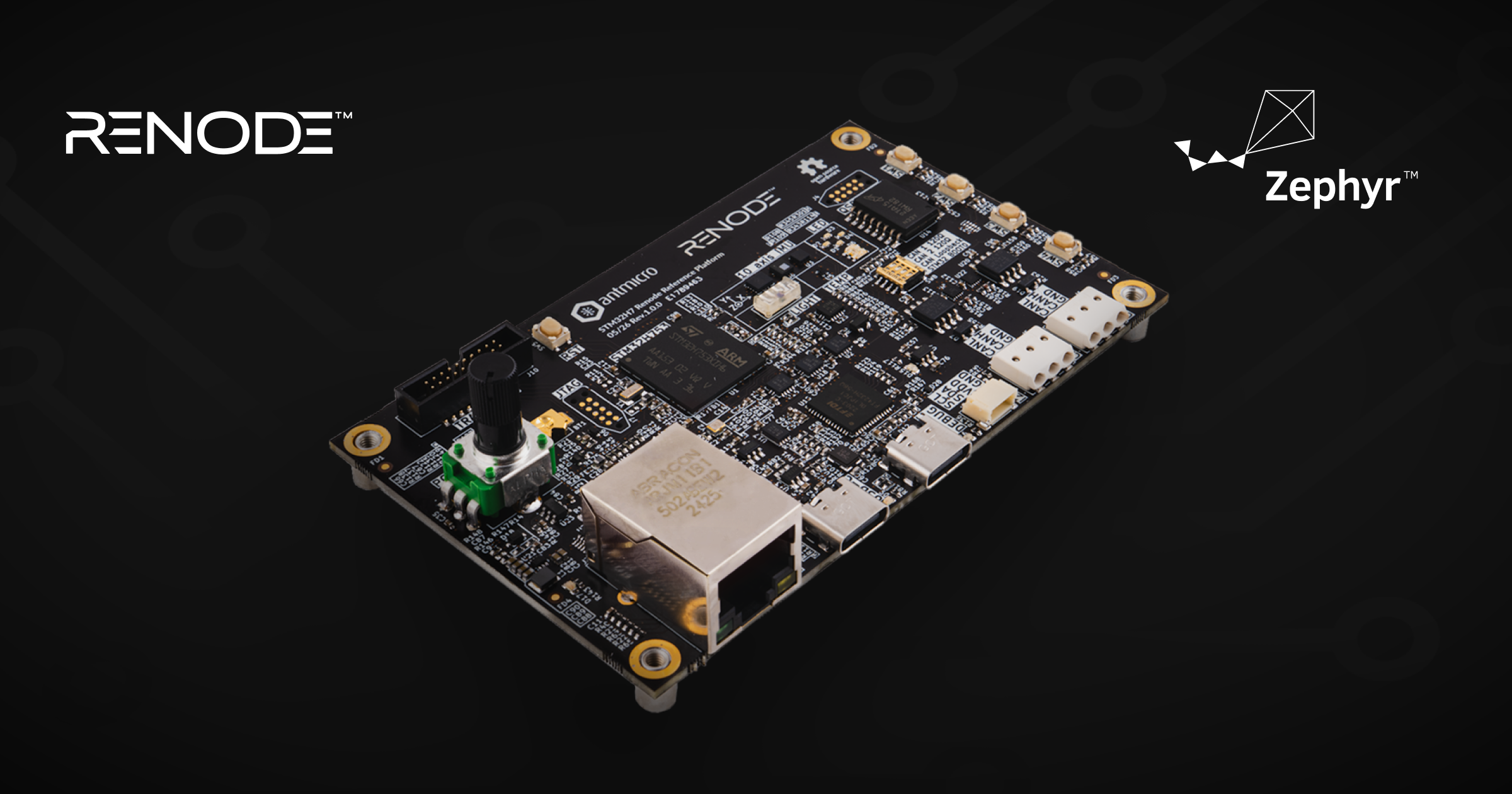
To showcase Renode’s ability to accurately mimic hardware and highlight the framework’s capabilities, we created the STM32H753 Renode Reference Platform - a technology demonstrator board available as a physical devkit with a digital twin emulated in Renode. The Reference Platform, which will soon be available for purchase, is a great way to experiment with Renode and learn what it can do for your development process, as it is populated with interfaces and sensors that are well supported and maintained, thus catering to a broad range of use cases. This article will describe the features of the STM32H7 Renode Reference Platform, and demonstrate a wide array of Renode’s capabilities on the basis of the board features.
Overview of features
The STM32H7 Renode Reference Platform is based on an STM32H753 MCU, a high performance 32-bit microcontroller which belongs to the popular STM32 MCU series. The STM32 family has strong existing support in Renode, and is actively being improved.
The board features a debug USB-C port with an integrated JTAG bridge. It also provides the user with a 10-axis inertial measurement unit (IMU) allowing for precise measurements of the device’s motion and orientation; the board also contains a variety of environmental sensors for measurements of temperature, light intensity, air pressure, and more, as well as a power usage readout for power consumption monitoring.
It has 10/100 Mbit/s Ethernet, multiple user IOs, and 1 Gbit of QSPI Flash external memory. The board also features two CAN interfaces which allow to integrate with sensors, modules and actuators that are widely used in automotive and industrial applications.
A full list of features is available on our Open Hardware portal which features a portfolio of our hardware designs and reference platforms.
As mentioned, the STM32H7 Renode Reference Platform is a physical counterpart to a digital twin in Renode, meaning that you can write software and simulate a variety of different testing scenarios that make use of the features of the board. This can be a great way to first acquaint yourself with Renode, experience its many capabilities, and experiment with how you can use Renode in the development and testing of your own devices.
We’ll now showcase the various ways you can use Renode alongside the physical STM32H7 Renode Reference Platform board.
Interacting with the physicality of the board
Renode allows you to interact with your simulated platform in a programmatic way. For sensor interaction, you can create a virtual environment providing samples set programatically using the Monitor or pyrenode3. The values of these samples will be then read and returned by the sensors present in the environment, allowing you to deterministically test various scenarios, which would be practically impossible in physical test rigs.
For more lifelike readings, you can feed environmental data samples to Renode by using our RESD format. This allows for recreating real-life scenarios in a strictly time-controlled manner. By doing so, you can create complex testing scenarios which would, for example, feed input to the light sensor or IMU on the board.
You can start with a simple CSV file that would describe the values changing over time:
pressure,temp
101325,2500
30000,10000
40000,-1000
With such input, it’s easy to define a test scenario that would feed data to sensors and verify the software behavior:
[00:00:00.050,000] <dbg> LPS25HB.lps25hb_init_chip: chip id 0xbd
*** Booting Zephyr OS build v4.4.0-6249-g0c20c3a0a567 ***
Found device "lps25hb@5d", getting sensor data
Starting pressure, temperature and altitude polling sample.
temp 25.90 Cel, pressure 30.000000 kPa
temp 100.31 Cel, pressure 40.000000 kPa
temp -9.31 Cel, pressure 101.325000 kPa
temp 42.50 Cel, pressure 101.325000 kPa
temp 42.50 Cel, pressure 101.325000 kPa
With the recently introduced ADC interface improvements, you can also easily interact with sensors such as the potentiometer:
sysbus.adcM1S2.potentiometer SetPercentage 30The potentiometer is configured to provide voltage between 0 to 3.3 V. So with this command, 30% of maximum voltage will be generated on the ADC input.
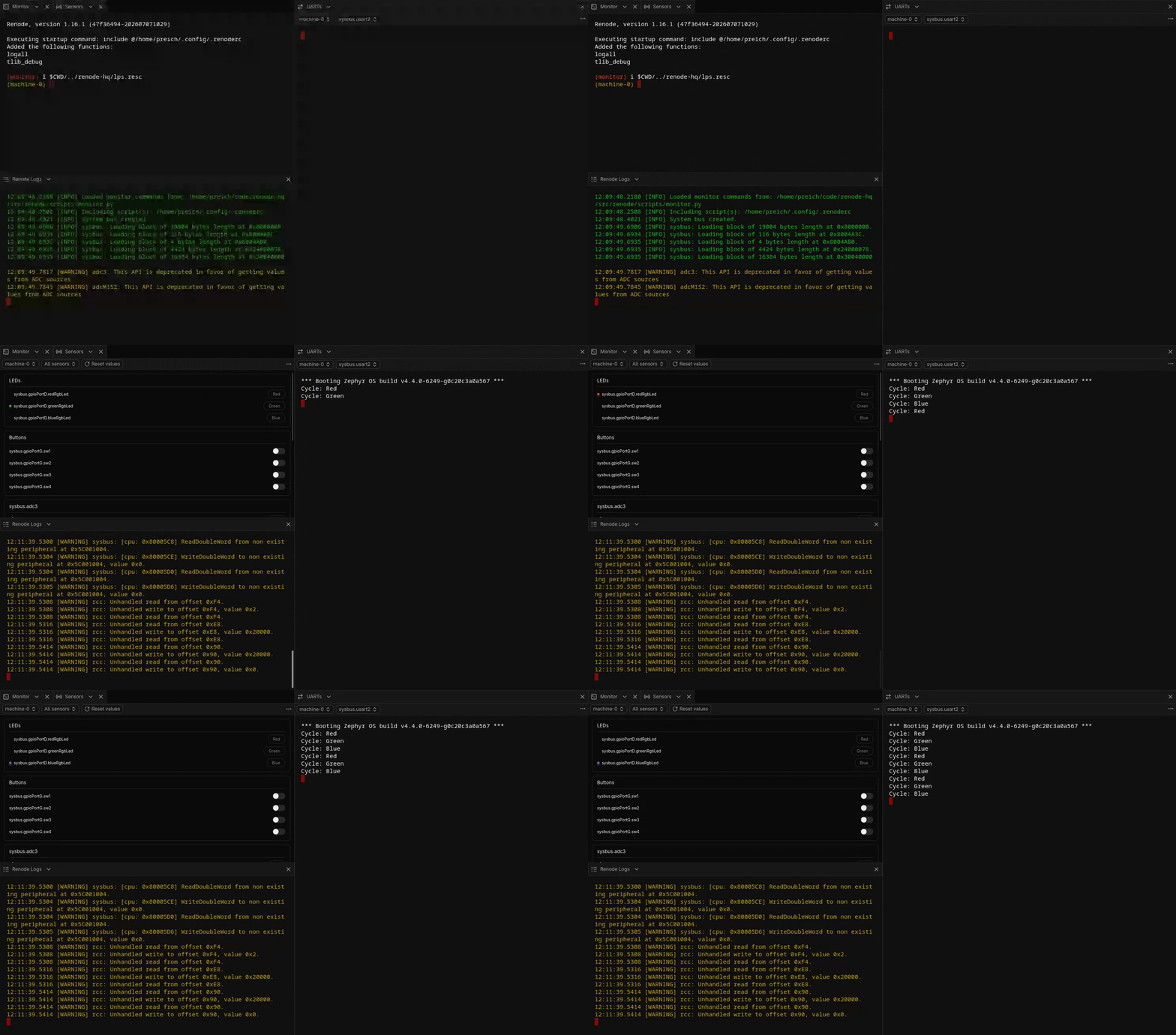
Additionally, the new Renode UI enables more visual feedback. For example, it can allow users to interact with sensors and show the LEDs on the board blinking:
Automatic verification of software
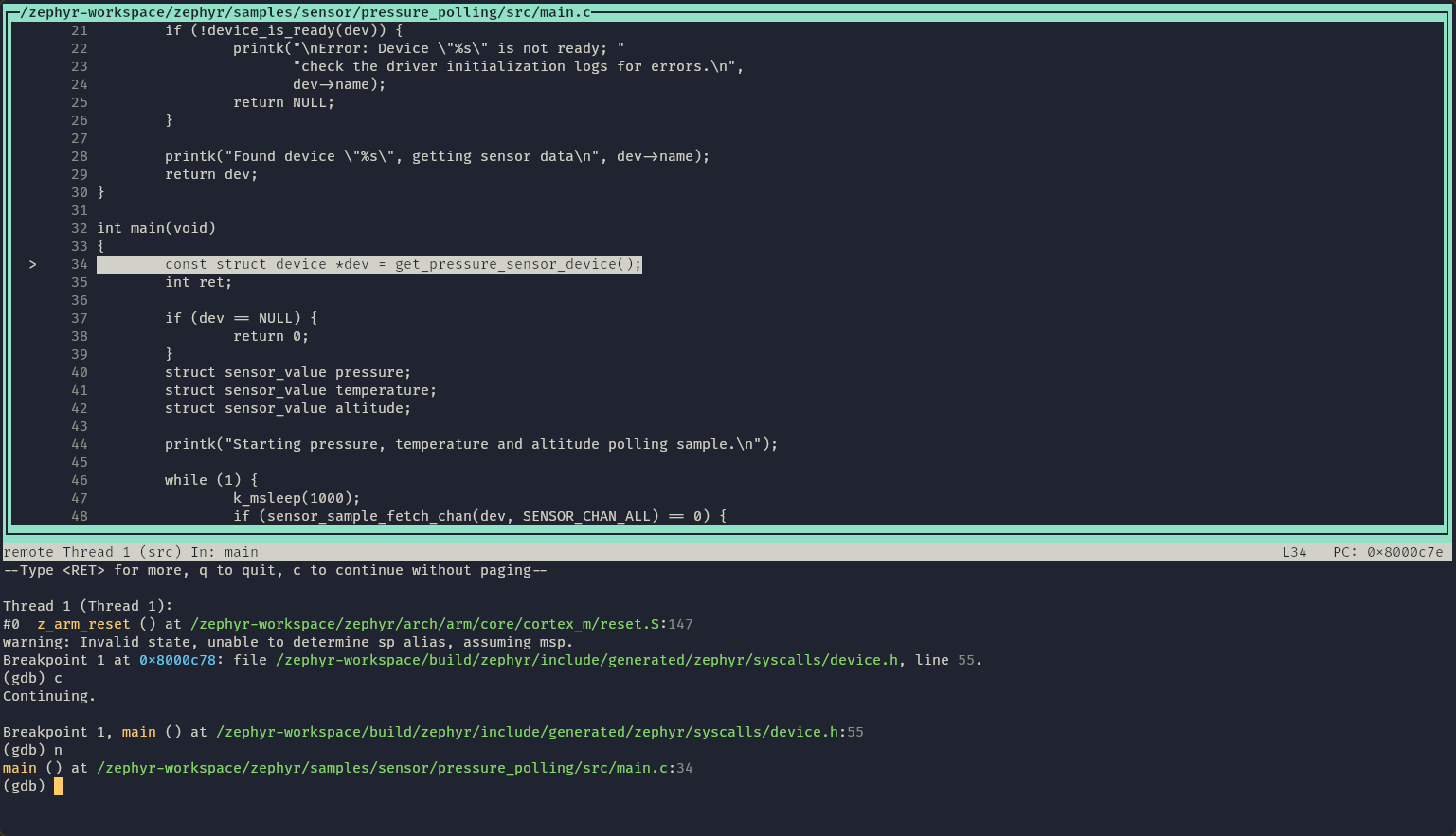
The STM32H7 Renode Reference Platform comes with an integrated USB to JTAG bridge, enabling you to debug your software interactively. An alternative option for debugging, which has certain benefits that working with the hardware doesn’t, is doing so in Renode.
Renode operates within a virtual time domain - meaning that stopping the execution in GDB stops the time flow as well. This renders the debugging process non-intrusive from the software perspective, which cannot be achieved during debugging on hardware.
Since Renode has the full control and knowledge of the execution environment, you can benefit from its advanced tracing features. You can gather various types of data from the execution without additional code instrumentation:
- visual traces
- memory accesses
- exceptions
- peripheral access
- and more.
Creating an execution trace of the Zephyr application running on the STM32H7 Renode Reference Platform is as easy as issuing:
cpu EnableProfilerCollapsedStack @path/to/traceYou can see the trace right here:
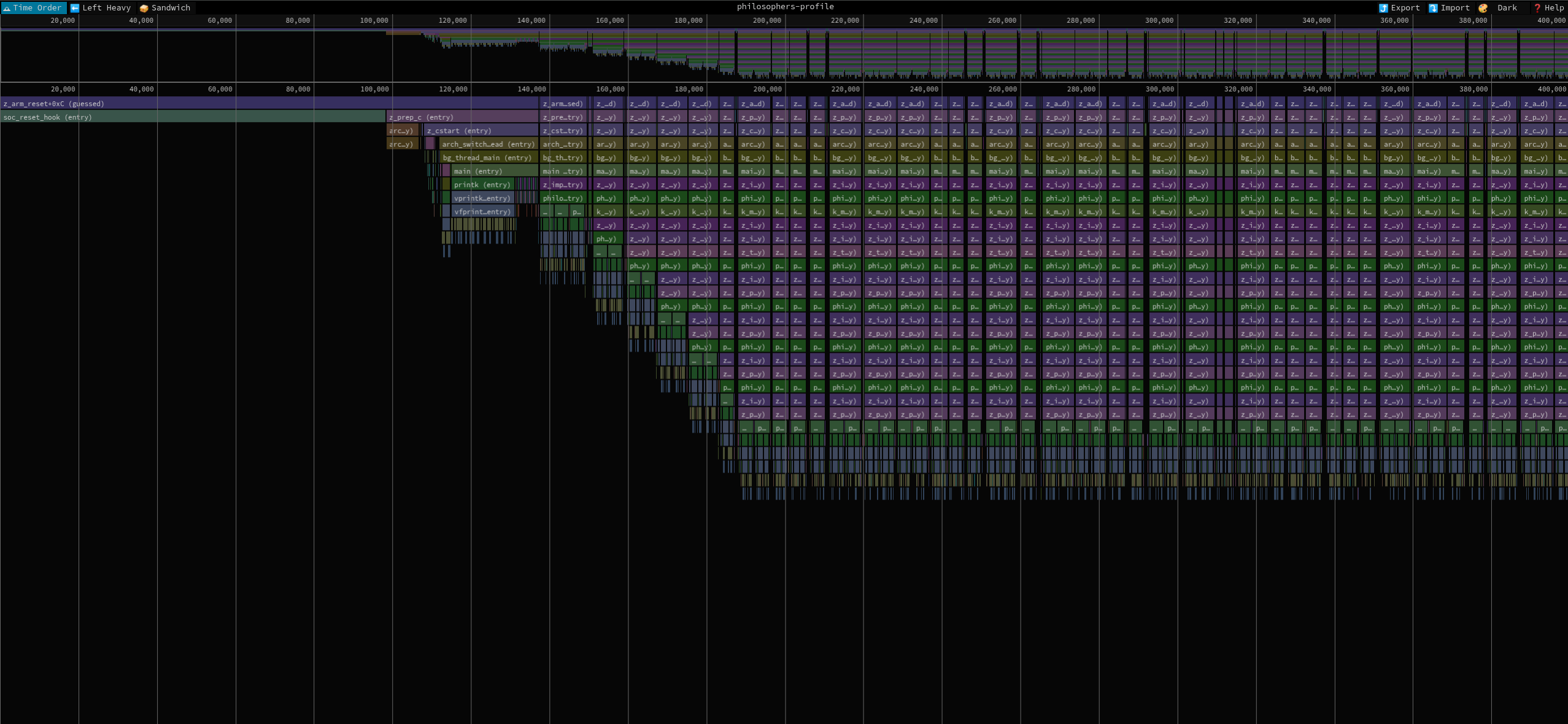 For an interactive version of the trace viewer, visit the desktop version of the website.
 To learn more about the tracing process in Renode, you can read our previous blog article about it, or visit the relevant part of the Renode documentation.
Working with interfaces
As with every embedded system, the STM32H7 Renode Reference Platform is intended to be used in the context of other devices; this can be done via its USB, CAN and Ethernet interfaces. Renode can also operate on these interfaces in various ways, either within the simulation or by connecting them to the host.
You can easily route traffic from Ethernet, CAN and serial devices to the host system, integrate with software running on your PC, or even forward communication to other physical devices.
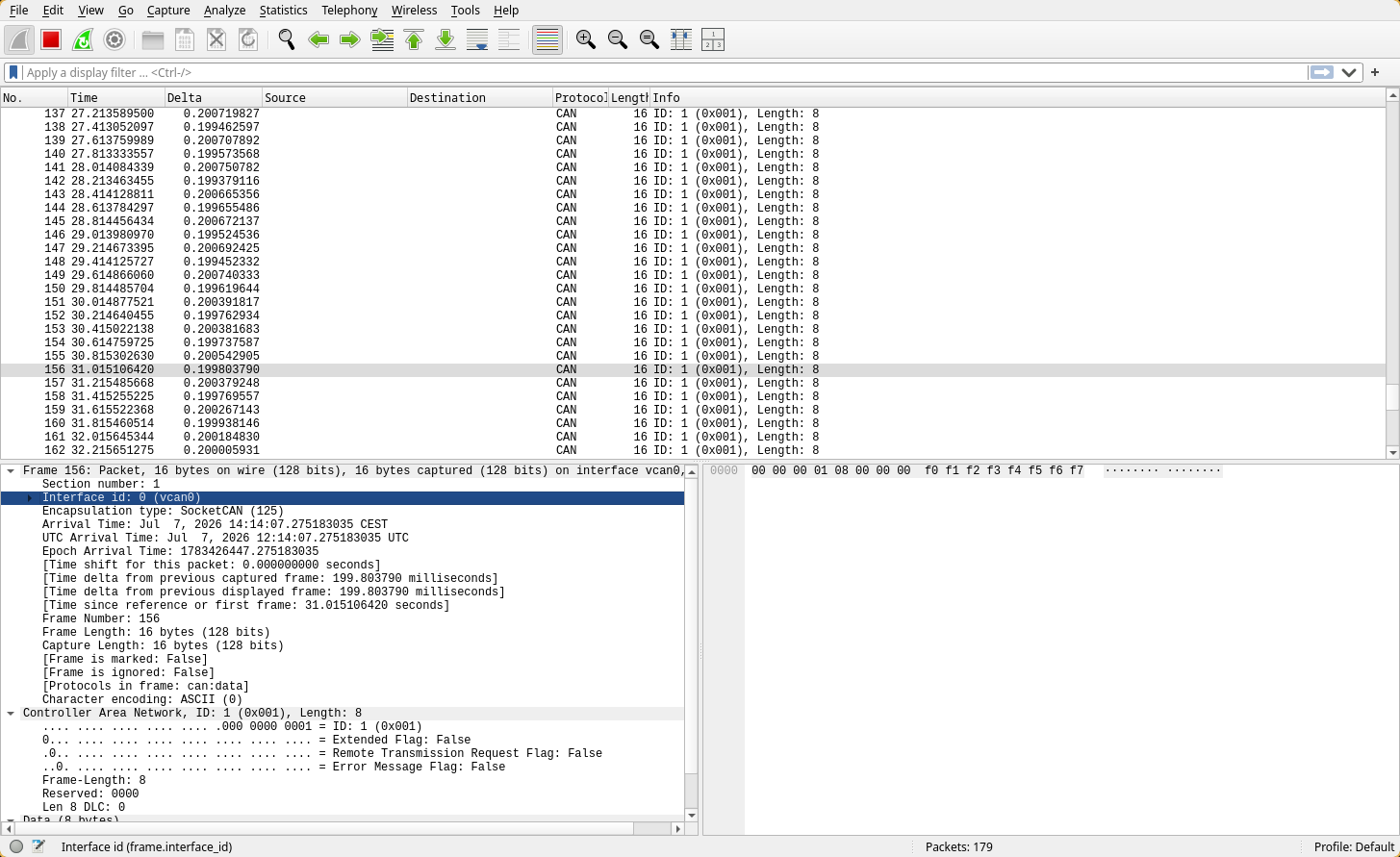
If you prefer to work within the simulated environment and with virtual time flow, you can inspect your network traffic with Wireshark or prepare tests verifying traffic via Robot Framework and dedicated testers for UART, CAN, Ethernet and other interfaces. The image seen below is a CAN-host setup in Wireshark.
Multi-node simulations
Renode also supports multi-node simulation, meaning that you can create an interconnected system of virtual devices, the setup of which is script-based. You can scale up a multi-node simulation regardless of the number of physical platforms involved.
The various platforms within such a system can interact with each other via different interfaces, such as Ethernet, which we showcase in the example below:
Zephyr support
The STM32H7 Renode Reference Platform can run a variety of operating systems, including the Zephyr RTOS. We have a separate, dedicated repository with the board support, which is configured for Zephyr v4.4.0, and includes a sample demo application as well. Additionally, we contributed the board support to upstream Zephyr.
Alongside the presented platform, Renode supports hundreds of devices running Zephyr. You can see the scope of it on the Renode Zephyr dashboard, which is a massive CI system that tests all the supported devices across a wide range of Zephyr demos in Renode.
Discover how to simulate your designs in Renode
The STM32H753 Renode Reference Platform offers a way to explore and experiment with the wide variety of features that are offered in Renode by allowing you to compare the behavior of the physical and digital variants of the board. With the board’s broad range of features, it’s an ideal starting point for learning how Renode can improve your hardware and software development process.
In the near future, the STM32H7 Renode Reference Platform will be available for purchase on our System Designer portal.
If you’re interested in accelerating product development using Renode, or wish to find out how Antmicro utilizes Renode for simulating complex multi-node systems, pre-silicon development, and more, reach out to us at contact@antmicro.com.