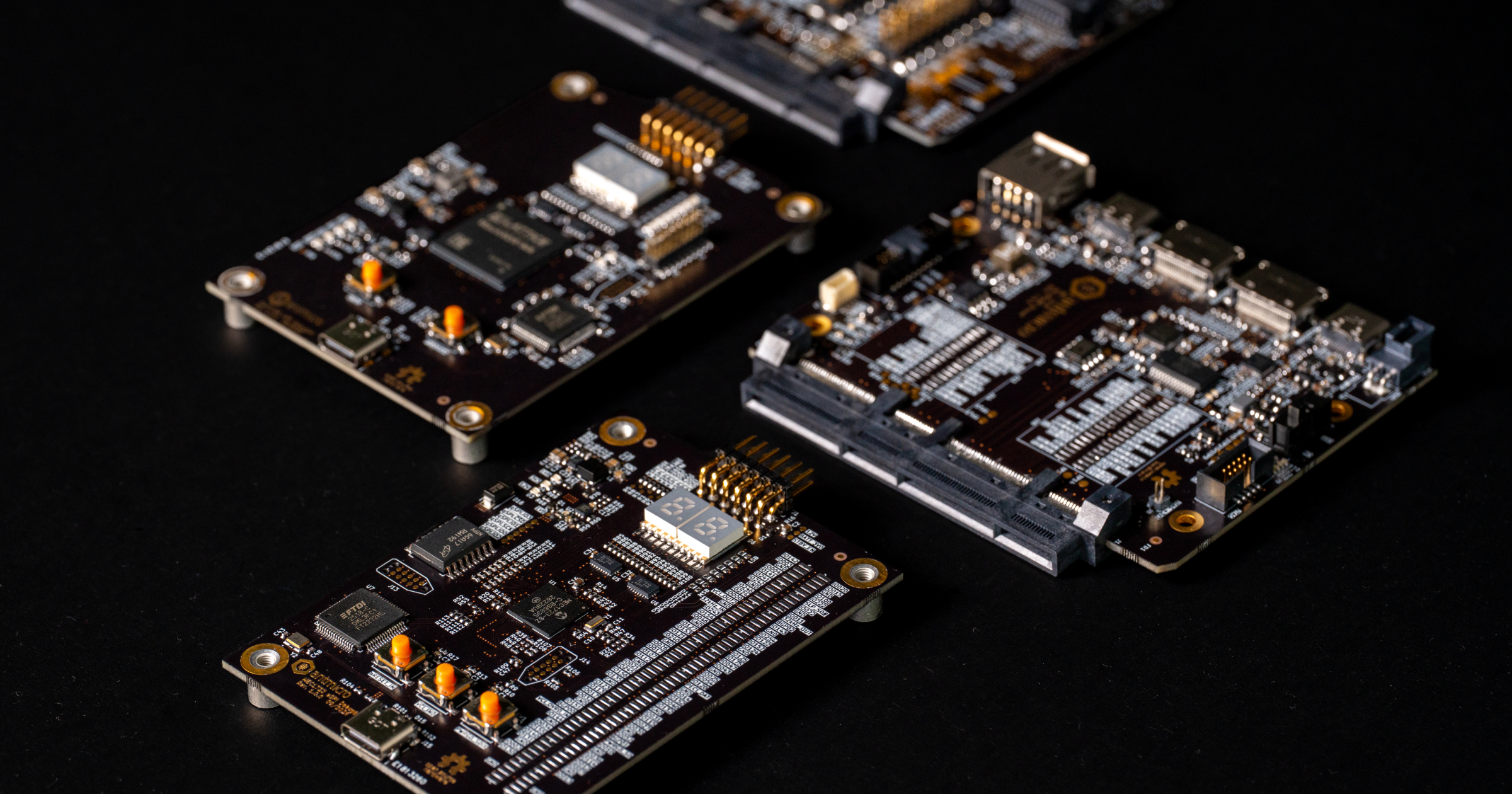
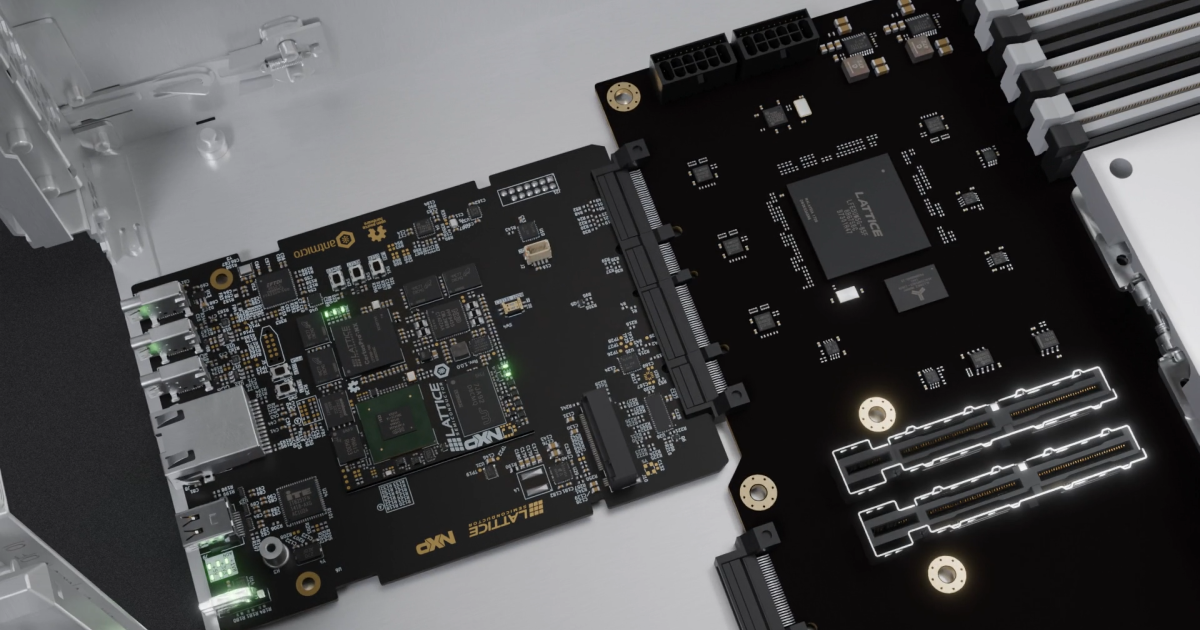
As a recognized industry standard, Open Compute Project’s DC-SCM (Datacenter Secure Control Module) specification is widely used for server management, providing security and control features in the form of a field-replaceable unit (FRU). Antmicro has been helping customers with designing devices for datacenters for a number of years now, including FPGA-based designs compatible with earlier revisions of the DC-SCM standard, through to complete open source reference designs and their subsequent improvements. Antmicro’s work illustrates an open and modular approach to DC-SCM boards, allowing for easy customization for compatibility with various SoC and FPGA families, all with the already standardized DC-SCM specification, accommodating the increasingly growing needs of the datacenter industry for reliable server management.
In anticipation of the upcoming 2026 OCP Global Summit, together with Altera, Antmicro created the Agilex 5 Modular DC-SCM Carrier Board - a new open hardware DC-SCM Carrier Card compatible with Altera’s Agilex 5 E-Series FPGAs, which will be demonstrated for the first time at the event’s Innovation Village Hardware Management station. This article describes its features and advantages, as well as shows a concept demonstration of reading sensor data with the use of Antmicro’s DC-SCM Breakout Board.
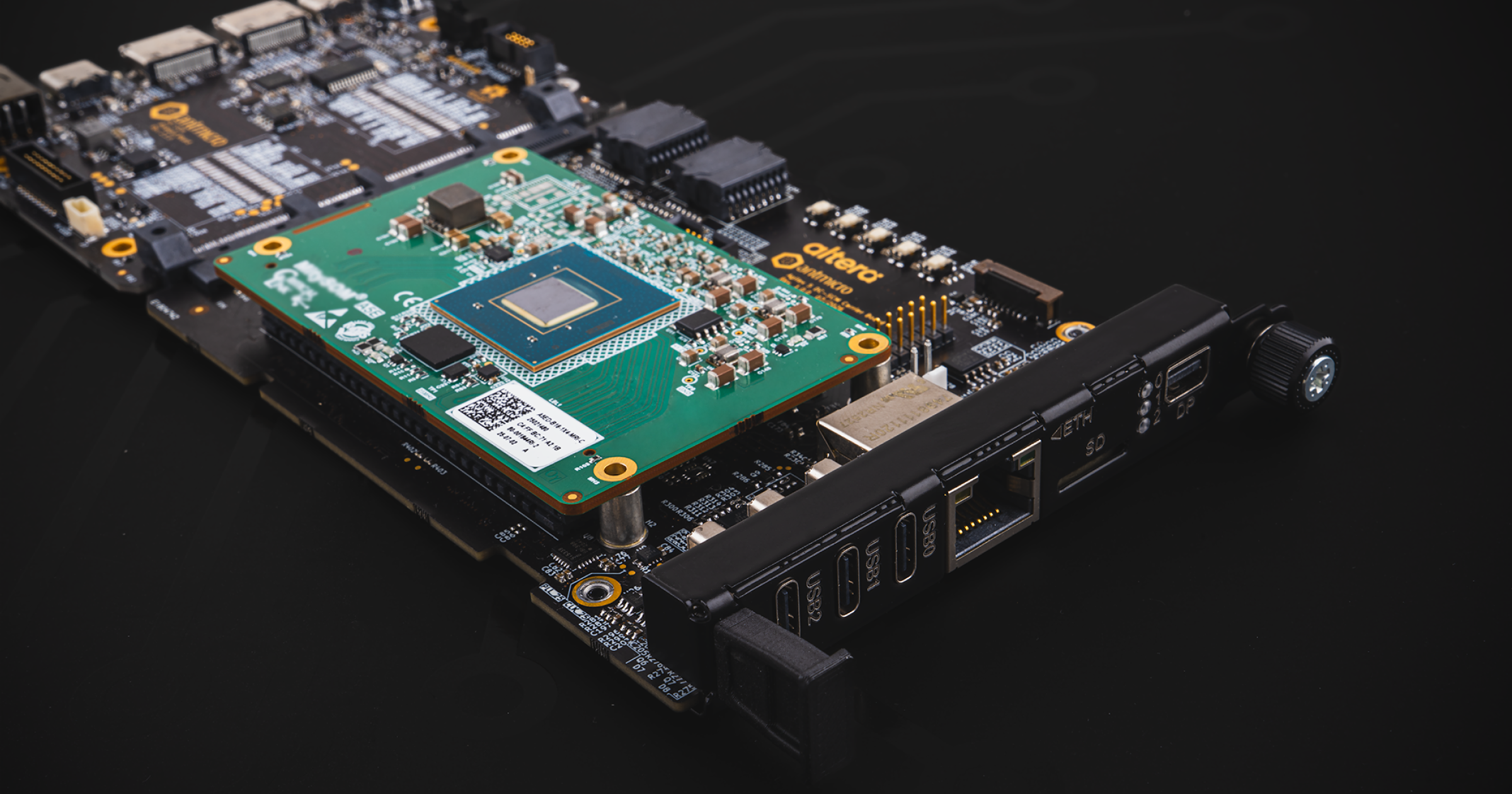
Agilex 5 Modular DC-SCM Carrier Board with OpenBMC features
The Carrier Board was designed to support the Altera Agilex 5E System-on-Chip family; Agilex 5E SoCs feature a Hard Processor System (HPS) with an embedded dual-core 64-bit Arm Cortex-A55 with up to 1.5 GHz, as well as a dual-core 64-bit Arm Cortex-A76 with up to 1.8 GHz, and extend up to 656k Logic Elements (LE). The module used for the board is the MitySOM-A5 Mini System on Module, with up to 8 GB LPDDR4 memory and 32 MB QSPI Configuration Flash as well as 48 HPS IO pins, 120 HVIO pins and 24 HSIO pins. It’s sized at 28 x 50.8 mm (3.23 x 2 inch), and can have up to 1 GHz clock routing.
The Agilex 5 Modular DC-SCM Carrier Board was created in accordance with the HPM Common Circuit Type 1 Design Specification, and follows the interface as well as the mechanical outline from the DC-SCM 2.1 standard, making it compatible with most modern server infrastructure, so long as the servers in question follow the OCP standard. The board is also highly modular, allowing to freely switch between different MitySOM versions. And, as the Agilex 5E family includes a series of pin-compatible SoCs, you may choose any of the 5E variants depending on your needs, enabling flexible performance scaling. With the module being compact-sized and replaceable, the design allows for streamlining the integration process at the early stages of DC-SCM development and adoption. Since the module is an SoC with FPGA fabric, the programmable logic introduces a hardware abstraction layer and further signal processing on the FPGA level.

The multi-core ARM processor setup present on the Agilex 5E SoC is Linux-capable, meaning that it runs OpenBMC, the Linux distribution for BMC management. OpenBMC is capable of being configured just like the Board itself, which will be showcased in the following section. Combining Yocto-based OpenBMC with a modular and scalable DC-SCM platform built for server management results in a full-fledged, fully manageable solution that meets the strict requirements of modern datacenters.
Reading sensor data with the Agilex 5 Modular DC-SCM Carrier Board using Antmicro’s DC-SCM Breakout Board
In order to highlight the configurability of the solution outlined above, this section describes a simple use case of adding temperature readout into an OpenBMC distribution running on the Agilex 5E SoC, installed on top of the Agilex 5 Modular DC-SCM Carrier Board. This feature can be implemented without accessing a physical HPM - Antmicro’s open hardware DC-SCM Breakout Board can be easily adjusted to mock a certain hardware configuration derived from the HPM if needed.
For the sake of simplicity, the demonstration expands the OpenBMC Board Support Package with a configuration which allows for periodically reading a TMP75 temperature sensor which is physically connected to the I2C6 peripheral bus with respective pins tied to the A49 and A50 pins of the DC-SCI connector. This I2C bus is then routed to pins BE69 and BJ69 of the Agilex 5 SoC via the DC-SCI connector and the Agilex 5 Modular DC-SCM Carrier Board.
The corresponding I2C bus in the Agilex SoC can be then routed to the HPS through the programmable logic. Once this is done, an OpenBMC Linux distribution running on the Agilex 5E HPS subsystem will have access to the I2C bus with the aforementioned temperature sensor.
OpenBMC is a Linux distribution for baseboard management controllers based on the Yocto Project. Most OpenBMC components communicate via D-Bus - each element of hardware state (such as temperature, fan speed, chassis, etc.) is classified as a D-Bus object - objects sit at paths which look as such: xyz/openbmc_project/sensors/temperature/DC_SCM_Breakout_Board and implement interfaces that might look like: xyz.openbmc_project.Sensor.Value. When values of those objects change, D-Bus broadcasts the signal, eliminating the need for polling.
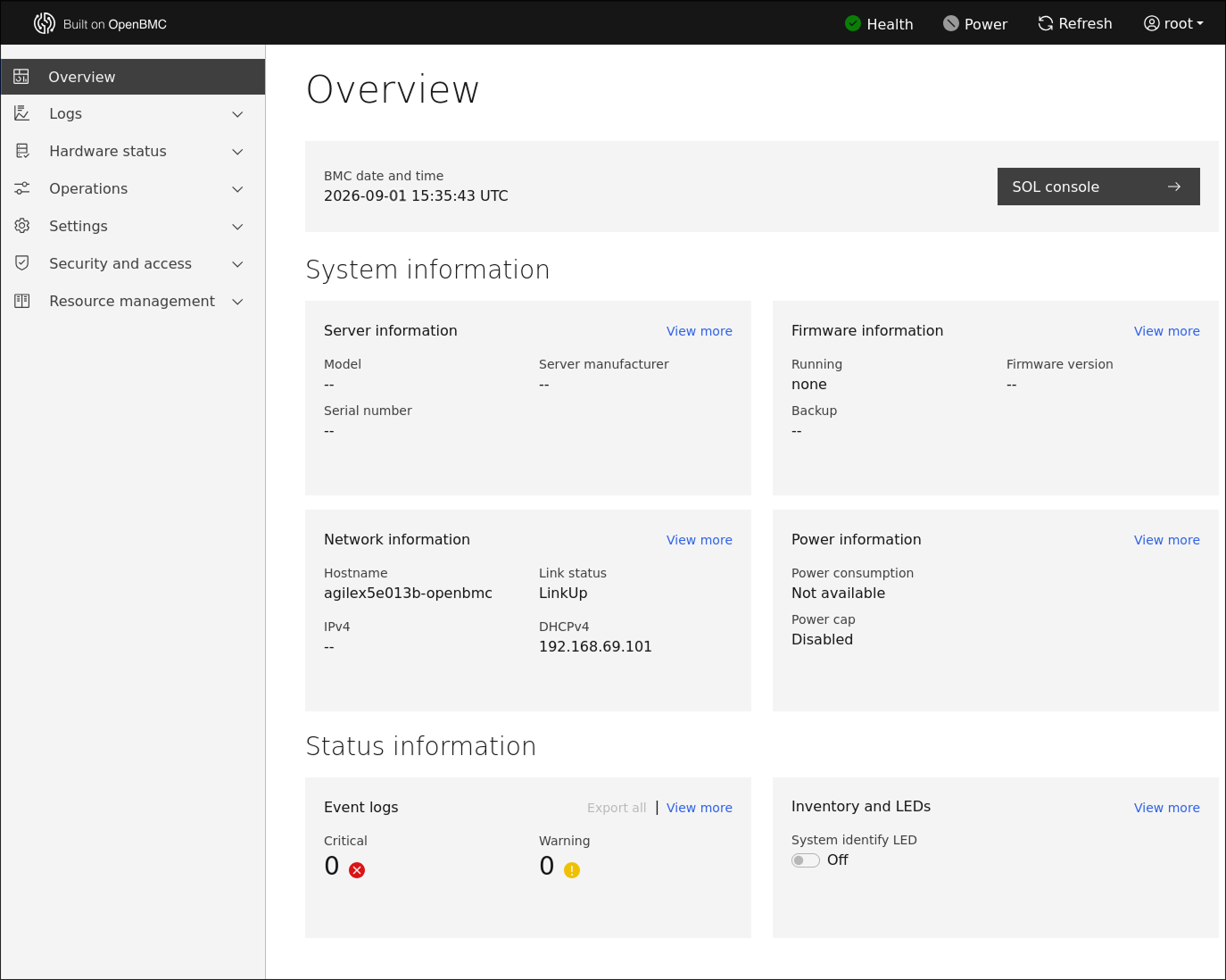
OpenBMC also has a dedicated WebUI which allows for remote monitoring, management and control of server systems. The screenshot provided below shows the overview page of the WebUI.
In terms of sensors in particular, on the kernel side, the sensor driver exposes the sensor through the Linux HWMon interface (for example: /sys/class/hwmon/hwmonN/temp1_input). With OpenBMC, the phosphor-hwmon service acts as a relay between HWMon and D-Bus, publishing the gathered data as D-Bus properties. The sensors themselves are not scanned by OpenBMC directly - they’re associated with chassis inventory objects instead. This particular association is declared by Phosphor Inventory Manager (PIM), and queried by ObjectMapper, the D-Bus service-discovery daemon.
In order to show a typical development flow of the OpenBMC sensor integration, the demonstration uses the Agilex 5 Modular DC-SCM Carrier Board with the DC-SCM Breakout Board, which exposes the interfaces offered by DC-SCMs. The Breakout Board thus serves as a platform for software development, debugging and initial validation before deployment in a server. As mentioned, this particular demonstration illustrates how to add TMP75 temperature sensor readouts to OpenBMC.
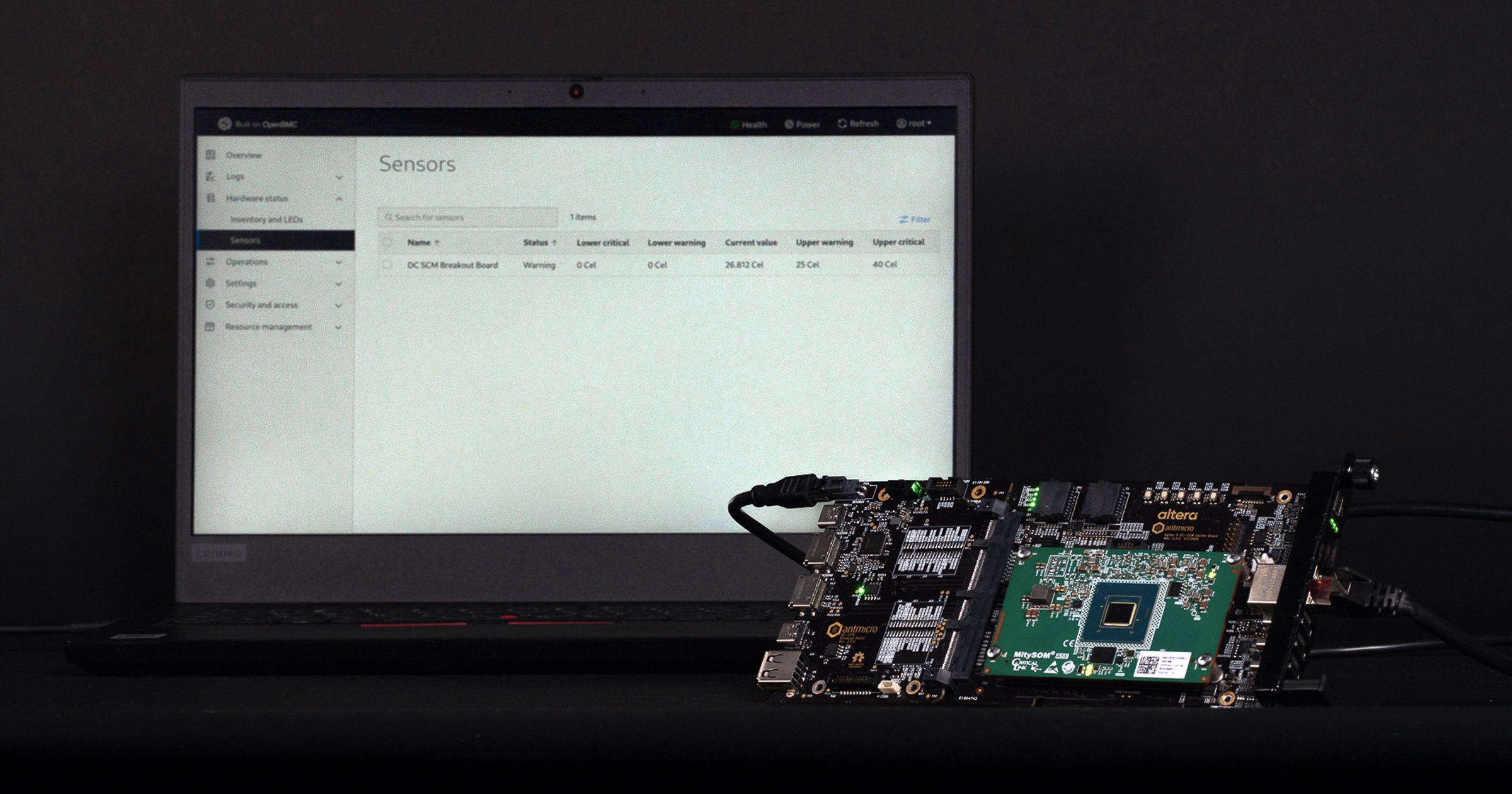
To add a sensor to OpenBMC, the sensor first needs to be defined in the kernel. The TMP75 temperature sensor is defined in the devicetree as follows:
    / {
      model = "Agilex 5 Modular DC-SCM Carrier Card";

      soc: soc@0 {
        i3c1: i3c@10da1000 {
          tmp75: tmp75@48 {
            compatible = "ti,tmp75";
            reg = <0x48 0 (I2C_FM | I2C_FILTER)>;
          };
        };
      };
    };
The sensor is then accessible through the standard Linux HMon interface:
  cat /sys/class/hwmon/hwmon0/name         # tmp75
  cat /sys/class/hwmon/hwmon0/temp1_input  # 24875 (millidegrees)
In OpenBMC, configuration is done in Yocto via OpenBMC recipes - in this case the previously mentioned phosphor-hwmon. The configuration file looks as follows:
    # recipes-phosphor/sensors/phosphor-hwmon/openbmc-phosphor/obmc/hwmon/soc@0/i3c@10da1000/tmp75@48.conf
    LABEL_temp1  = "DC_SCM_Breakout_Board"
    WARNHI_temp1 = "25000"
    WARNLO_temp1 = "0"
    CRITHI_temp1 = "40000"
    CRITLO_temp1 = "0"
As seen above, LABEL_templ is now the D-Bus object name for the Breakout Board. Thresholds are expressed in sysfs units native to the sensor and then scaled for D-Bus via phosphor-hwmon.
A sensor configuration file is then added to the phosphor-hwmon recipe by bbappend:
    # recipes-phosphor/sensors/phosphor-hwmon_%.bbappend
    FILESEXTRAPATHS:prepend := "${THISDIR}/${PN}:"

    SYSTEMD_ENVIRONMENT_FILE:${PN}:append = " \\
                   obmc/hwmon/soc@0/i3c@10da1000/tmp75@48.conf"
Note that the configuration file name reflects the definition path in the devicetree. While, as shown, the file has the path of /etc/default/obmc/hwmon/soc@0/i3c@10da1000/tmp75@48.conf in the live system, phosphor-hwmon publishes the sensor as /xyz/openbmc_project/sensors/temperature/DC_SCM_Breakout_Board.
Sensors are connected to the chassis with an associations file - if no chassis is defined, a default one may be created at boot with a startup event. The chassis creation event looks as follows, using the phosphor-inventory-manager-chassis recipe:
      SUMMARY = "Add Chassis interface for inventory manager"
      PR = "r1"
      LICENSE = "Apache-2.0"
      LIC_FILES_CHKSUM = "file://${COREBASE}/meta/files/common-licenses/Apache-2.0;md5=89aea4e17d99a7cacdbeed46a0096b10"
      inherit allarch
      inherit phosphor-inventory-manager

      PROVIDES += "virtual/phosphor-inventory-manager-chassis"

      S = "${UNPACKDIR}"
      SRC_URI = "file://chassis.yaml"
      do_install() {
              install -D ${S}/chassis.yaml ${D}${base_datadir}/events.d/chassis.yaml
      }
      FILES:${PN} += "${base_datadir}/events.d/chassis.yaml"
This creates the followingchassis.yaml file:
     events:
         - name: Add Chassis interface
           description: >
               Add the chassis interface on the chassis inventory path
           type: startup
           actions:
               - name: createObjects
                 objs:
                   /system/chassis:
                     xyz.openbmc_project.Inventory.Item.Chassis:
                       Type:
                         value: "xyz.openbmc_project.Inventory.Item.Chassis.ChassisType.RackMount"
                         type: string
Sensors connect to the chassis via an associations file. The structure of the associations files connecting the sensors to the chassis is presented below:
    // recipes-phosphor/inventory/phosphor-inventory-manager/associations.json
    [
      {
        "path": "system/chassis",
        "endpoints": [
          {
            "types": {
              "rType": "chassis",
              "fType": "all_sensors"
            },
            "paths": [
              "/xyz/openbmc_project/sensors/temperature/DC_SCM_Breakout_Board"
            ]
          }
        ]
      }
    ]
This file is then added to phosphor-inventory-manager via bbappend:
    # recipes-phosphor/inventory/phosphor-inventory-manager_%.bbappend
    FILESEXTRAPATHS:prepend := "${THISDIR}/${PN}:"
    PACKAGECONFIG:append = " associations"
    SRC_URI:append = " file://associations.json"
    DEPENDS:append = " phosphor-inventory-manager-chassis"
    do_install:append() {
        install -d ${D}${base_datadir}
        install -m 0644 ${UNPACKDIR}/associations.json ${D}${base_datadir}/associations.json
    }
On the live system, this file ends up with the /usr/share/phosphor-inventory-manager/associations.json path.
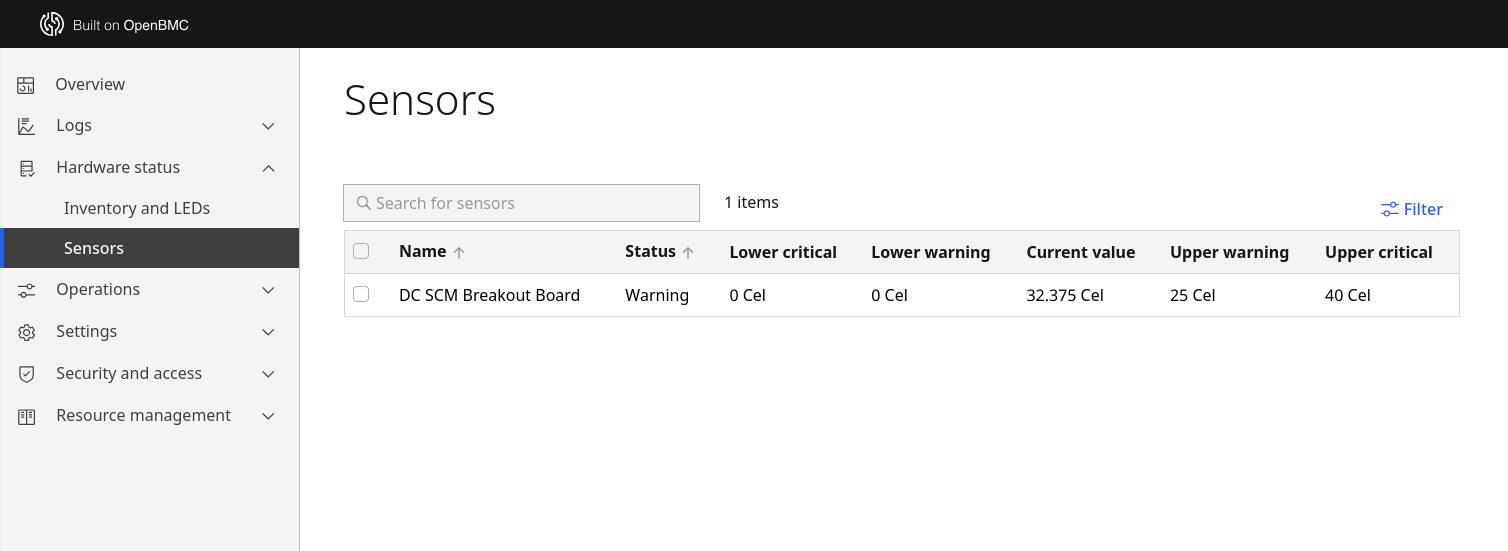
The sensor corresponding to the path - the TMP75 temperature sensor in this case - is automatically picked up in the OpenBMC WebUI, as shown in the provided screenshot of the WebUI.
See the demo at the 2026 OCP Global Summit
The new Agilex 5 Modular DC-SCM Carrier Board provides a customizable approach to the widely adopted DC-SCM specification, which has become the standard in server management over the last few years. With a compact, replaceable module based on Altera’s Agilex 5E family, with FPGA programmable logic, as well as the configurable OpenBMC, it is both ready to use as is for standard server architecture, and able to be tailored to individual use cases as need be.
Contact Antmicro at contact@antmicro.com to learn more about the company’s offered services and discuss custom DC-SCM solutions, and visit Altera’s Platform Management page to learn more about their OmniMC solution and FPGAs in data center manageability applications.
If you’re interested in seeing the demonstration described in this article live, Altera and Antmicro will be at the 2026 OCP Global Summit in San Jose, California on October 12-15. Be sure to visit the Hardware Management station in the Innovation Village to see the presented demo of the Carrier Board.