Antmicro’s Renode simulation framework, on top of its broad support for various platforms and architectures, provides advanced capabilities for repeatable and scalable testing in an automated CI environment. A few years back, we leveraged these capabilities along with the structured data available in Zephyr RTOS to create the Renode Zephyr Dashboard, soon followed by an analogous Renode U-Boot Dashboard, which represent unified device tree data and Renode simulation results in a comprehensive and user-friendly way.
Since their introduction, the dashboards have become the backbone of Antmicro’s efforts to catalog open source hardware, software and the relationships between them, converging in our System Designer portal. They also demonstrate Renode’s capacity for automated testing at scale - we started with 100 passing platforms in the Zephyr dashboard; now, after numerous improvements in both Renode and Zephyr, we’re almost at 1000!
In this article we describe the recent improvements to the Zephyr and U-Boot dashboards, including an updated UI with the option to run a range of available demos in Renode inside a web browser, and their integration with Antmicro’s unified System Designer portal.
Improved Renode Zephyr Dashboard
The Renode Zephyr Dashboard provides a quick overview of which Zephyr-compatible boards are currently supported in Renode. It contains information about hundreds of simulated boards, including those based on RISC-V and ARM. We’re currently working on adding support for Xtensa-based platforms as well. An essential part of the Zephyr dashboard’s CI system is our open source dts2repl tool that allows us to automatically generate Renode platform files (REPL) from device trees such as those provided by Zephyr. There are 14 samples currently available in the Zephyr dashboard, representing different aspects and applications of the Zephyr RTOS, from a simple Hello World to more complicated ones such as the Kenning Zephyr Runtime demos.
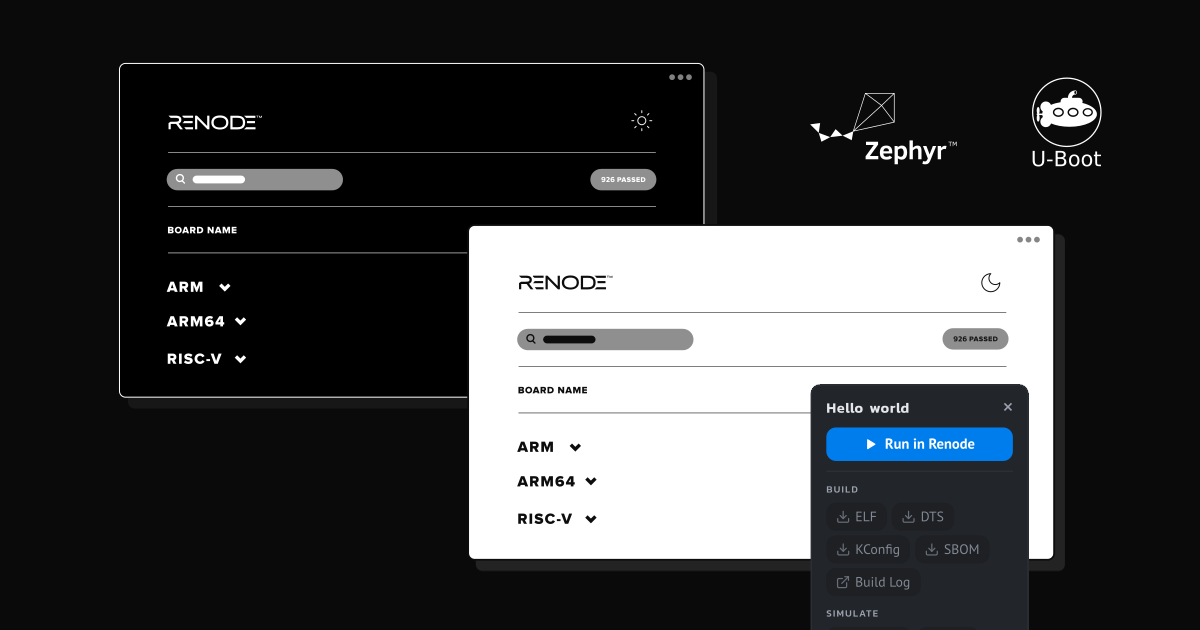
The most obvious improvement to the Renode Zephyr Dashboard is the new UI - it’s now faster, more user-friendly, and offers additional features. We extended the filtering options with Sample, SoC and Vendor filters on top of the existing Architectures filter so that you can easily navigate to a specific platform or group of devices. The dashboard now comes in light and dark mode, and has a dedicated layout for mobile devices to improve the browsing experience on smaller screens.
Thanks to the constantly expanding platform support in Renode, and improvements to the dts2repl tool and Zephyr RTOS itself, we were able to significantly improve the Renode Zephyr Dashboard in terms of the number of passing platforms. At the time of writing, we have 926/1513 platforms passing the Zephyr Hello World demo. riscv64 is currently the best supported architecture, with every platform passing the majority of samples.
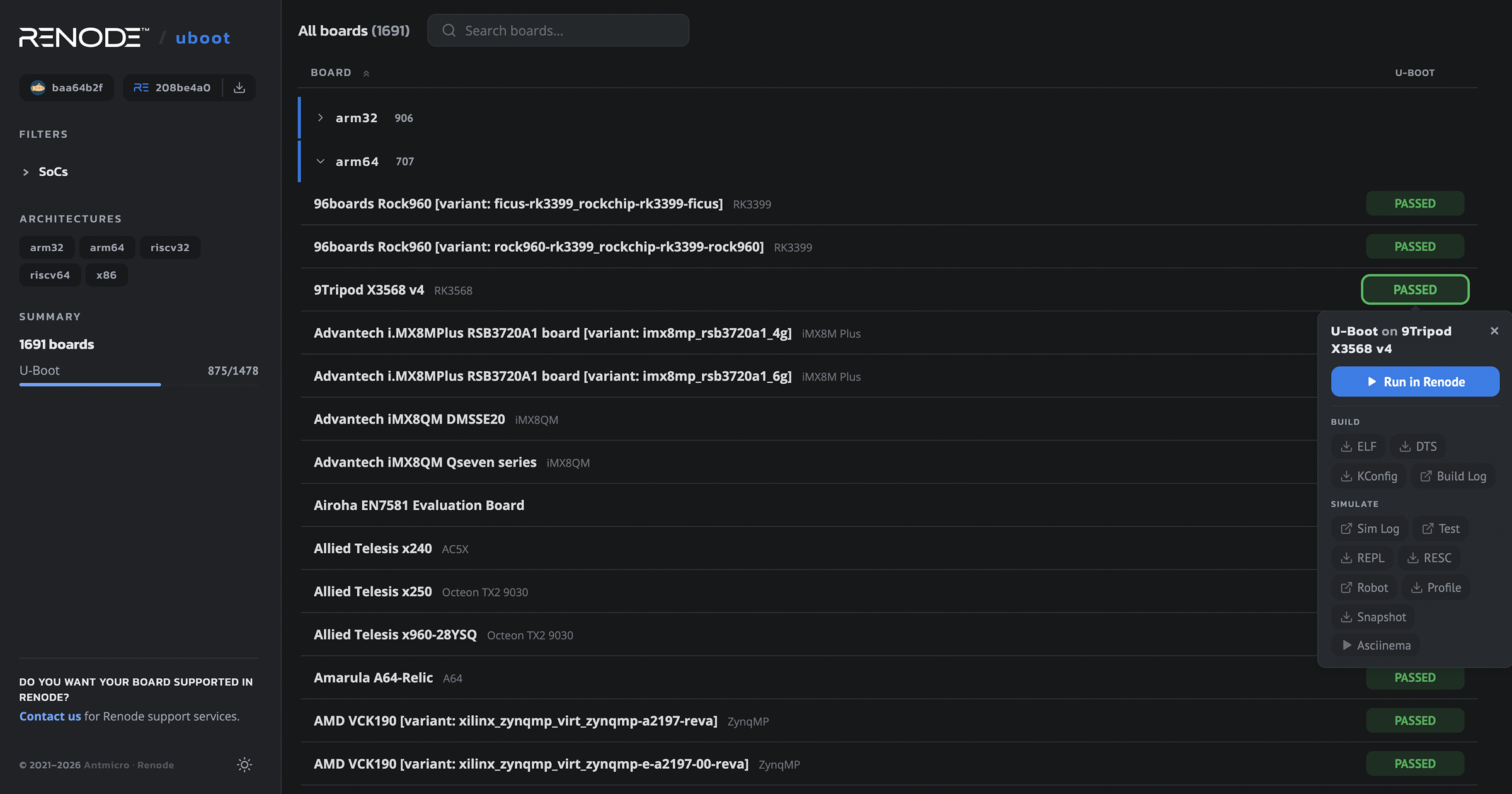
Perhaps the most significant feature recently introduced to the Renode Zephyr Dashboard is the integrated Run in Renode functionality that spawns a Renode GUI in the web browser, allowing you to run the demos yourself, with all the usual aspects of Renode, such as Monitor, Sensors, Renode Logs, and UARTs available right there in the browser. All you need is to first run renode --server-mode on your computer.
The Zephyr dashboard provides a lot of useful information on its own but if you want to learn more about a specific platform, you can click on its name and you’ll be taken to a dedicated page in our System Designer portal where you’ll find all the data from the dashboard (demos with the Run locally option, downloadable assets, etc.) as well as some extra information (e.g. list of peripherals in an SoC, Hardware Bill of Materials).
Improved Renode U-Boot Dashboard
U-Boot is an open source boot loader for embedded systems. While Zephyr is a popular choice for constrained devices, an RTOS is not always enough, and for many higher-end platforms like those based on Arm Cortex-A, the combination of U-Boot and Linux is a more typical choice. As the Renode Zephyr Dashboard proved the usefulness of scalable CI systems containing Renode simulation results, we used the same approach to create an analogous Renode U-Boot Dashboard.
The U-Boot dashboard is likewise based on device trees and the dts2repl tool. The platforms generated with dts2repl are then simulated in Renode and used to run U-Boot and execute a simple command to test whether the bootloader reacts to user input as intended.
Similar to the Renode Zephyr Dashboard, the Renode U-Boot Dashboard got a revamped UI, with improved layout and dark mode. We now also support significantly more platforms - at the time of writing, 829/1373 platforms pass the U-Boot test (60%). Just like its Zephyr-based counterpart, the U-Boot dashboard is integrated with System Designer and provides the Run in Renode feature. Since both dashboards feed into the same System Designer database, platforms covered by both end up on a single page where you can switch between Zephyr and U-Boot results - for example, see the HiFive Unmatched running the Zephyr and the U-Boot sample.
Accelerating product development with Renode, Zephyr and U-Boot
By combining the structured and unified data provided by Zephyr and U-Boot with Renode’s versatile simulation capabilities, we created comprehensive CI systems that let you browse and compare the numerous platforms supported in Renode. Thanks to their integration with the System Designer portal, the dashboards also provide a direct entryway into Antmicro’s broader database describing not only the platforms themselves, but also the relations between individual hardware components and larger complex devices, as well as relations between software and hardware.
If you would like to have your platforms supported in Renode, or want to learn more about our full-stack product development and engineering services around Zephyr, U-Boot, Linux and other software, reach out at contact@antmicro.com.