Over the years, Antmicro has been frequently developing and improving open source solutions to facilitate easier handling of graphics in both Linux and Zephyr, typically in the context of devices where the timing, resources, and even the number of dependencies are important (e.g. in kiosk mode). In such scenarios, what customers typically need is a visually pleasing, yet lightweight interface.
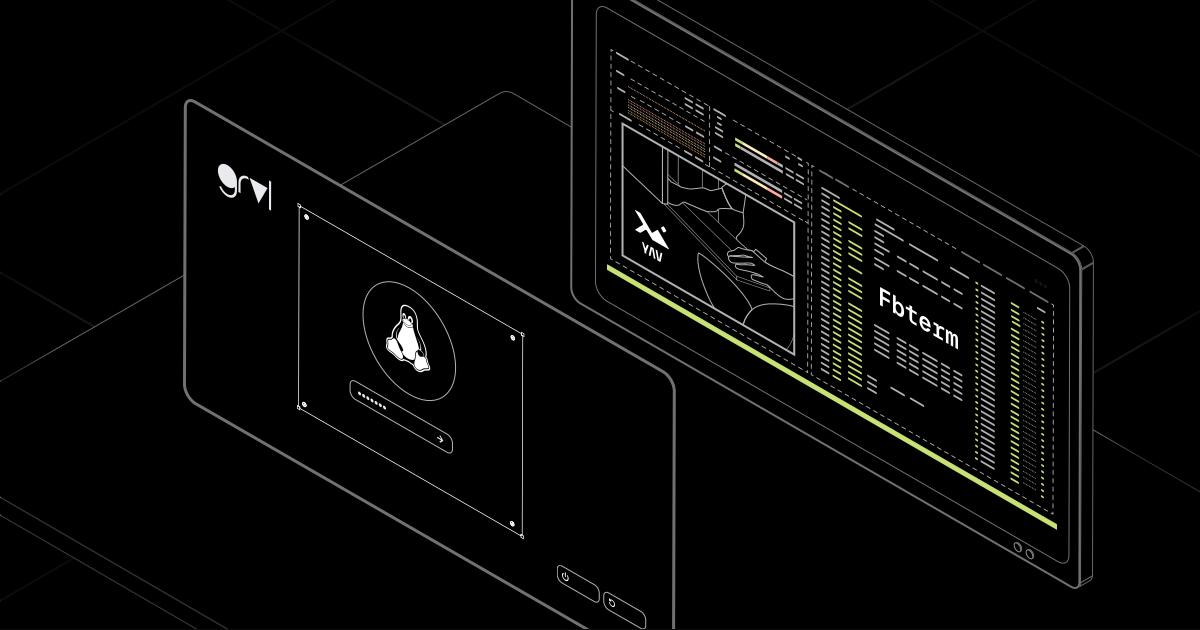
In this blog, we describe three graphics rendering tools that will help you create nice-looking customizable GUIs without using a full desktop environment: Antmicro’s command-line utility YAV that displays images directly on the Linux console, grvl - our graphics library for creating more refined, animated UIs, and a fork with enhanced features of the popular FbTerm framebuffer terminal emulator that provides richer font and customization options than the standard Linux terminal.
Interacting with the fbdev and DRM subsystems to draw low-level graphics on Linux
One of the simplest ways to draw low-level graphics on Linux is to write directly to the framebuffer device provided by the Linux framebuffer subsystem (fbdev), an older interface accessible through the character device /dev/fb0 (or /dev/fb/0). For resource-constrained devices and simple graphics tasks, using fbdev can be convenient since it doesn’t require starting the graphics environment and allows manipulating pixels directly as illustrated in the example below, where fbdev is used to draw a white square on the Linux framebuffer console:
// gcc g.c

#include <stdint.h>
#include <string.h>
#include <unistd.h>
#include <sys/mman.h>
#include <sys/ioctl.h>
#include <fcntl.h>
#include <linux/fb.h>

int main() {

    // Open the framebuffer device.
    int fd = open("/dev/fb0", O_RDWR);

    struct fb_var_screeninfo var;
    struct fb_fix_screeninfo fix;

    // Query the display configuration.
    //
    // "fix" contains hardware-specific properties that remain constant,
    // while "var" describes the current display mode, which can be
    // modified via the fbdev API.
    //
    // These structures also describe the framebuffer layout
    // (pixel format, color channels, etc.). This example assumes
    // a packed pixel format and ignores those details for simplicity.
    ioctl(fd, FBIOGET_VSCREENINFO, &var);
    ioctl(fd, FBIOGET_FSCREENINFO, &fix);

    // Map the framebuffer into the process adress space, so that writing
    // to the mapped memory updates the display content.
    int bytes = fix.smem_len;
    uint8_t* map = mmap(NULL, bytes, PROT_READ | PROT_WRITE, MAP_SHARED, fd, 0);

    int bpp = var.bits_per_pixel / 8;
    int width = var.xres;
    int height = var.yres;

    // Draw a large white square by filling a region with ones.
    for (int y = 100; y < (height - 100); y ++) {
        for (int x = 100; x < (width - 100); x ++) {
            int offset = (y * width + x) * bpp;
            memset(map + offset, 0xff, bpp);
        }
    }
}
However, the fbdev interface has a number of limitations that make it less versatile and not quite suitable for the needs of modern systems, and it’s being superseded by the DRM (Direct Rendering Manager), a subsystem of Linux kernel responsible for managing GPU resources. While DRM is a more complex interface, it can also be used to generate simple dumb buffer objects to draw images without the full graphics stack.
Contrary to the legacy fbdev API, which can only manage a single framebuffer and doesn’t have a way to target screens, the DRM subsystem can handle multiple framebuffers, defining what to draw in a per-connector, and thus, per-monitor way. It also allows for easy configuration of resolutions and refresh rates.
The DRM subsystem also implements a simple access control mechanism, which requires many DRM programs to enter a special master mode in order to perform certain privileged operations like controlling the graphics output to write to the screen. Only one master program with these special privileges can run at a time, which prevents multiple programs from rendering the contents of their framebuffers onto the screen simultaneously.
The following example shows a similar white square that can be drawn in TTY by using DRM, which can also be run on your machine:
// gcc ./g.c `pkg-config --cflags --libs libdrm`

#include <stdint.h>
#include <string.h>
#include <unistd.h>
#include <sys/mman.h>
#include <fcntl.h>
#include <xf86drm.h>
#include <xf86drmMode.h>

static drmModeConnectorPtr pickAnyConnector(int fd, drmModeResPtr resource) {
	 for (int i = 0; i < resource->count_connectors; i++) {
	 	drmModeConnectorPtr connector = drmModeGetConnectorCurrent(fd, resource->connectors[i]);

	 	if (connector == NULL) {
			continue;
		}

		if (connector->count_modes == 0) {
			drmModeFreeConnector(connector);
			continue;
		}

		if (connector->connection == DRM_MODE_DISCONNECTED) {
			drmModeFreeConnector(connector);
			continue;
		}

		return connector;
	 }

	 return NULL;
}

static drmModeModeInfoPtr pickPreferredMode(drmModeConnectorPtr conn) {
	for (int i = 0; i < conn->count_modes; i++) {
		drmModeModeInfoPtr mode = &conn->modes[i];

		if (mode->type & DRM_MODE_TYPE_PREFERRED) {
			return mode;
		}
	}

	return NULL;
}

int main() {

	int fd = open("/dev/dri/card0", O_RDWR);

	drmModeResPtr resource = drmModeGetResources(fd);

	// a connector represents a physical display output (like HDMI, DisplayPort, etc.).
    // Select any connected display and use its preferred mode.
	drmModeConnectorPtr conn = pickAnyConnector(fd, resource);
	drmModeModeInfoPtr mode = pickPreferredMode(conn);

    // Retrieve the encoder associated with the selected connector.
    drmModeEncoderPtr encoder = drmModeGetEncoder(fd, conn->encoder_id);

    // A CRTC generates the image that is scanned out to the display.
    // We'll later configure it to display our framebuffer.
	drmModeCrtcPtr crtc = drmModeGetCrtc(fd, encoder->crtc_id);

	// Create a new 32-bit "dumb" framebuffer matching the display
    // resolution. Dumb buffers are simple linear framebuffers intended
    // primarily for software rendering.
	struct drm_mode_create_dumb dumb;
	dumb.height = mode->vdisplay;
	dumb.width = mode->hdisplay;
	dumb.bpp = 32;
	drmIoctl(fd, DRM_IOCTL_MODE_CREATE_DUMB, &dumb);

	uint32_t id;
	drmModeAddFB(fd, dumb.width, dumb.height, 24, dumb.bpp, dumb.pitch, dumb.handle, &id);

	// Unlike fbdev, DRM does not expose the framebuffer directly. Instead,
	// request a mapping for the dumb buffer we have just created.
    struct drm_mode_map_dumb map;
	map.handle = dumb.handle;
	drmIoctl(fd, DRM_IOCTL_MODE_MAP_DUMB, &map);

    // Map the dumb buffer into the process address space.
	void* buffer = mmap(NULL, dumb.size, PROT_READ | PROT_WRITE, MAP_SHARED, fd, map.offset);

	// Draw a large white square.
	for (int y = 100; y < (dumb.height - 100); y ++) {
		for (int x = 100; x < (dumb.width - 100); x ++) {
			int offset = (y * dumb.width + x) * 4;
			memset(buffer + offset, 0xff, 4);
		}
	}

    // Display the framebuffer by assigning it to the selected CRTC.
	drmSetMaster(fd);
	drmModeSetCrtc(fd, crtc->crtc_id, id, 0, 0, &conn->connector_id, 1, mode);
	drmDropMaster(fd);

	// Keep the image on screen briefly before exiting.
	sleep(3);

}
As evident from the examples above, while both fbdev and DRM interfaces can be used to generate low-level graphics on Linux, for modern, future-proof scenarios, DRM has become the preferred one.
YAV: a framebuffer tool for generating low-level graphics in the Linux console
Antmicro’s YAV is a simple CLI application that supports graphics rendering in the Linux console with the DRM (via the libdrm) and fbdev mechanisms. It is also designed as a simple library (yavo) that can be used to create static images and GIFs as well as adjust alpha blending and image positioning.
Additionally, YAV has the following capabilities:
- Handles multiple different framebuffer driver paths and errors
- Correctly interprets framebuffer formats as described in the screen info structs and changes image data to that format on the fly
- Can enable colors if the framebuffer is monochrome
You can use this sample code to display a simple image:
yav --image example/tuxan.png --anchor 0.5 0.5 --clear ffffffAnd here’s the example of the graphics rendered in the CLI with YAV: 
Multiple instances of YAV can be invoked and run simultaneously if there is a need to render several images or animations at the same time. The tool can be configured through multiple flags that allow modifying how images are displayed on screen. For more information, refer to the README.
FbTerm: Linux terminal emulator for customizing text-based interfaces
Antmicro’s fork of FbTerm can be used instead of a default, kernel-provided TTY to render a custom, better looking terminal interface by adjusting the font size or color scheme tailored to a specific screen resolution. Similarly to YAV, it draws text directly to the Linux framebuffer, but doesn’t support DRM.
We’re actively working to further extend FbTerm functionalities as demonstrated by the migration of the AutoTools build system to CMake for better developer experience and the support of standard ANSI escape codes for window control. The ANSI codes support enhanced the tool’s functionality with the ability to implement screen margins as presented in the following example script:
#!/bin/bash

if [ "$#" -ne 4 ]; then
	echo "Invalid usage, expected 4 args but got $#!"
	echo "Usage: $0 <left> <right> <top> <bottom>";
	exit 1
fi

left=$1
right=$2
top=$3
bottom=$4

# Get screen size in pixels
IFS='[;' read -p $'\e[15t' -d t -a screen -rs || echo "Unable to get screen size: $? ; ${screen[*]}"

w=$((${screen[3]} - $left - $right))
h=$((${screen[2]} - $top - $bottom))

printf "\e[4;${h};${w}t"
printf "\e[3;${left};${top}t"
Below is an example of a default Linux interface compared to an interface customized with FbTerm:
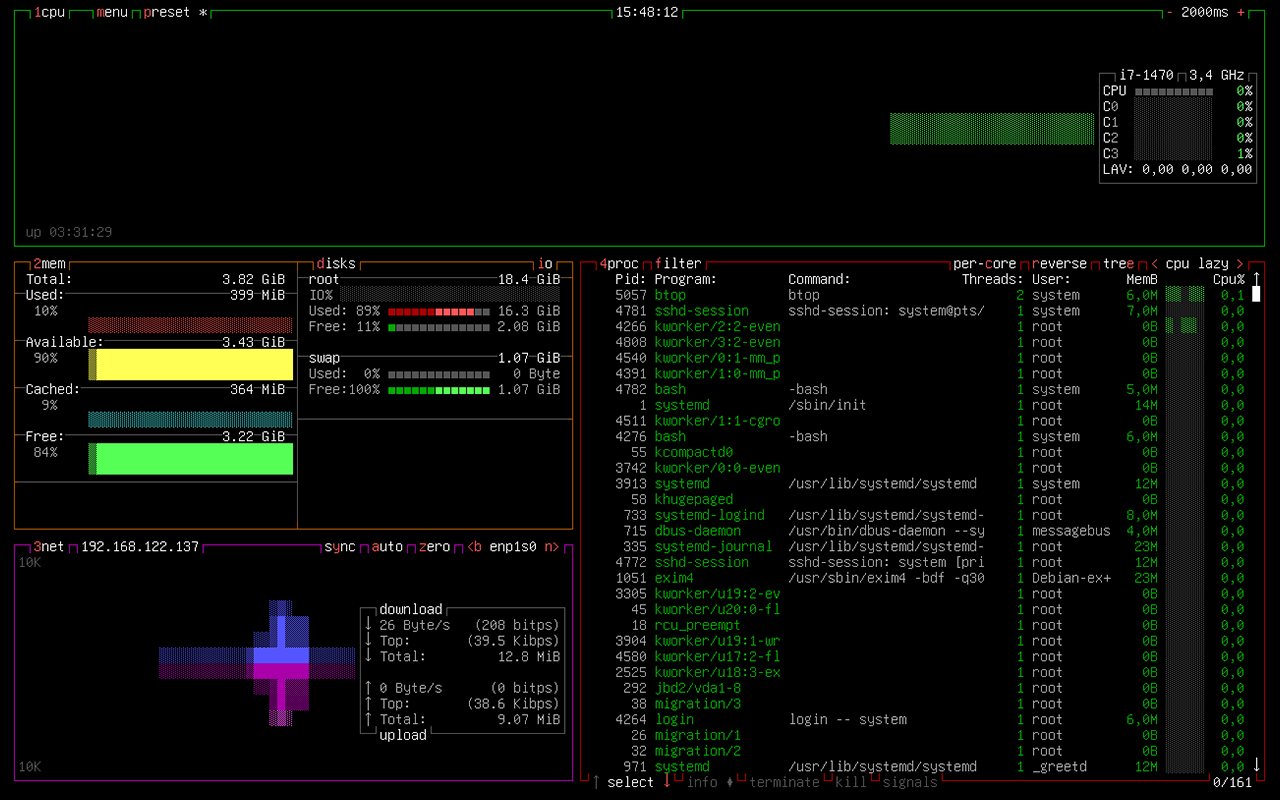
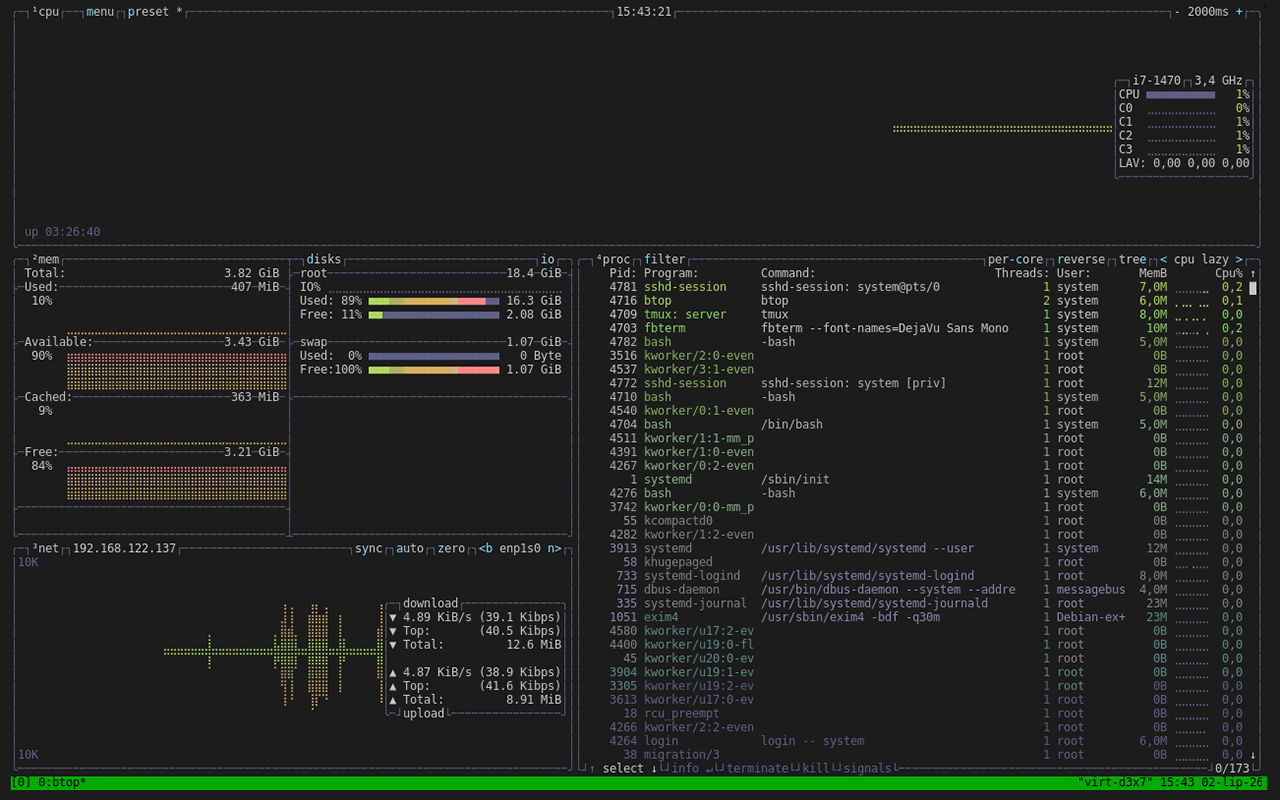
We’ve also improved some existing FbTerm features to use more standard codes and added support for the new codes. FbTerm now provides much better compatibility with terminals using the xterm-256color definition, allowing to run applications such as vim.
grvl: Antmicro’s open source library for rendering interactive interfaces
While YAV is well suited to displaying images and simple animations, and FbTerm is intended to customize TUIs, more complex products, such as kiosk devices, often need a richer user interface: reusable controls, text input, layout management, animated visual elements, and application-specific interactions. For such use cases, Antmicro has developed grvl, an open source graphics library that enables building lightweight, modern graphical interfaces.
Originally created for constrained devices such as microcontrollers running Zephyr RTOS, grvl is designed to remain portable across platforms. Alongside its Zephyr backend, it can be used by a standalone Linux application leveraging either the SDL- or DRM-based backend. The latter allows grvl to take direct control of the display, without requiring X Server, Window Manager, and Desktop Compositor.
grvl provides a collection of built-in widgets and rendering primitives that can be combined to create interfaces for dedicated devices, including industrial control panels, kiosks, appliances, and system management applications. The visual structure of an interface can be described declaratively in XML, separating widget hierarchy, styling, and layout from the application code. Interactive behavior can then be implemented through JavaScript callbacks, while device-specific integration and application logic remains in C++.
This separation makes it easier to iterate on an interface without repeatedly modifying the low-level rendering code. It also allows developers to use the same UI concepts across embedded targets and Linux-based devices, while selecting an appropriate rendering backend for each platform.
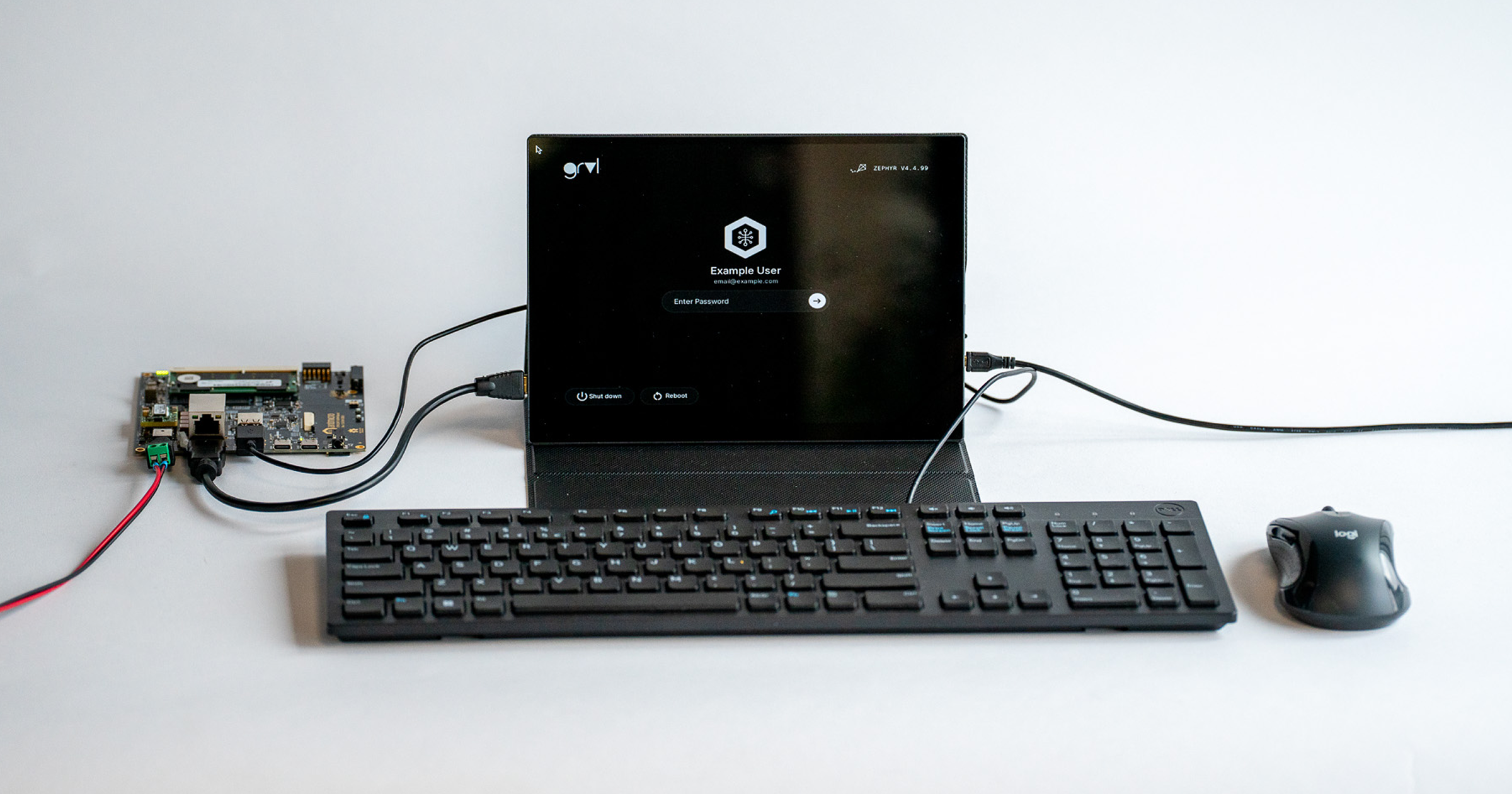
The example below shows the graphical login screen implemented with grvl and rendered directly on Linux. It combines standard user-interface elements such as labels, text inputs, and buttons into a focused application that can run without a conventional desktop environment.
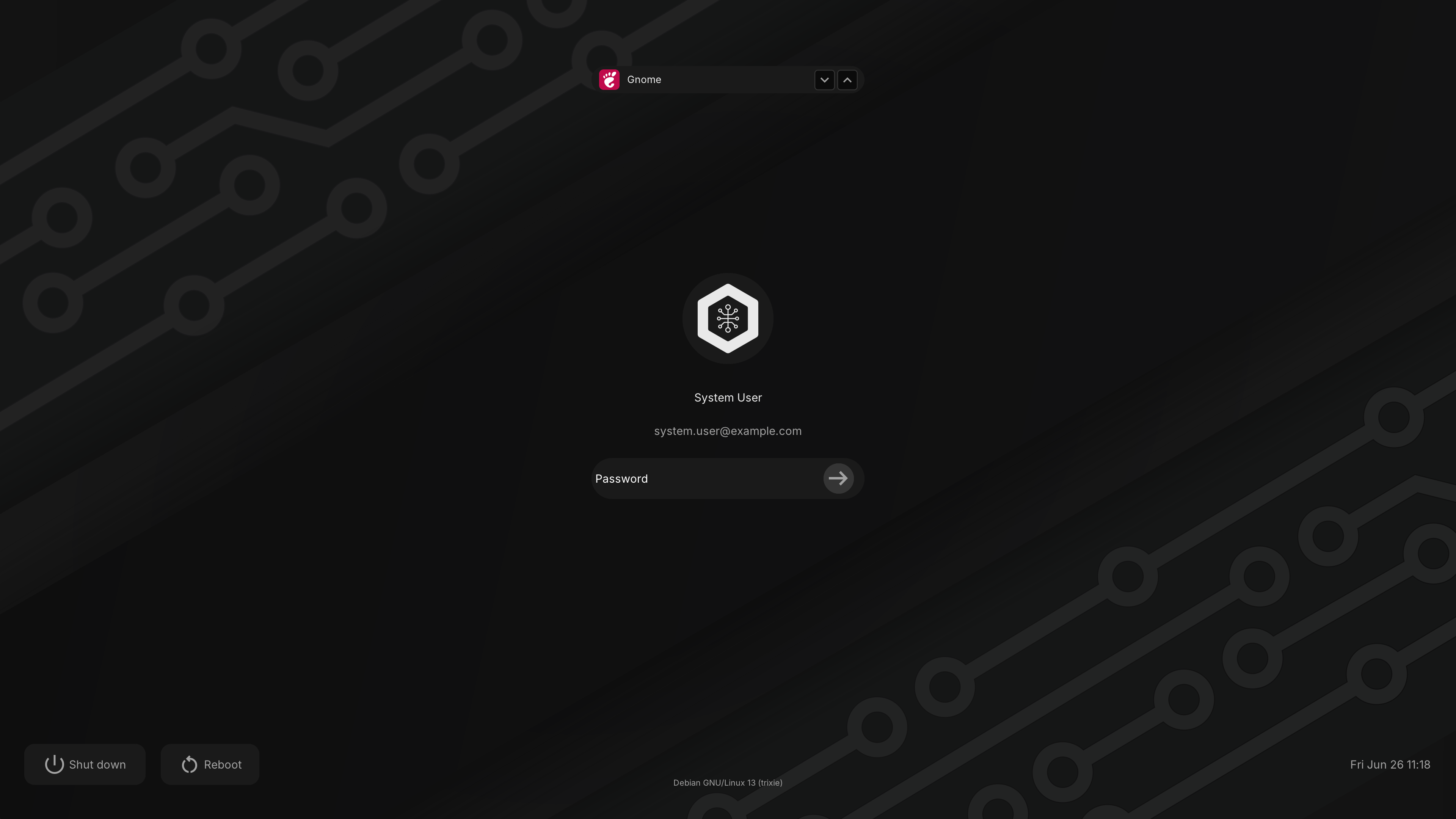
Together with YAV and FbTerm, grvl extends the low-level Linux graphics stack from simple image and text rendering to fully interactive user interfaces. Due to its easy integration with Zephyr RTOS, it is also a great solution for building GUIs in early versions of Zephyr-based applications on Antmicro’s open hardware STM32H7 HDMI Board, which we recently designed as a technology demonstrator specifically for prototyping graphics-oriented devices.
Create modern low-level interfaces for your devices with Antmicro
Antmicro is actively involved in building and improving open source software that enables rendering graphics of varying levels of complexity on Linux-based systems. The simplicity of YAV allows rendering basic multimedia such as boot logos and system startup animations directly to screen, and FbTerm is ideal for customizing full-screen terminal interfaces with product-specific branding. Beyond these capabilities, grvl allows creating complex graphics for more fully-featured products, such as kiosk devices, where a rich interface with multiple interactive components is essential.
Antmicro can help you design custom GUI solutions for your devices running Linux, Zephyr RTOS, and other operating systems. If you would like to use our engineering expertise to design interfaces for your platforms or build your next product completely from scratch, reach out to us at contact@antmicro.com.